
Lost photos,
found again.
Recover deleted photos, videos and files from your camera's SD card or any external drive. No trial, no limits, no account. It costs nothing to get your files back.
Apple silicon and Intel · 3.6 MB
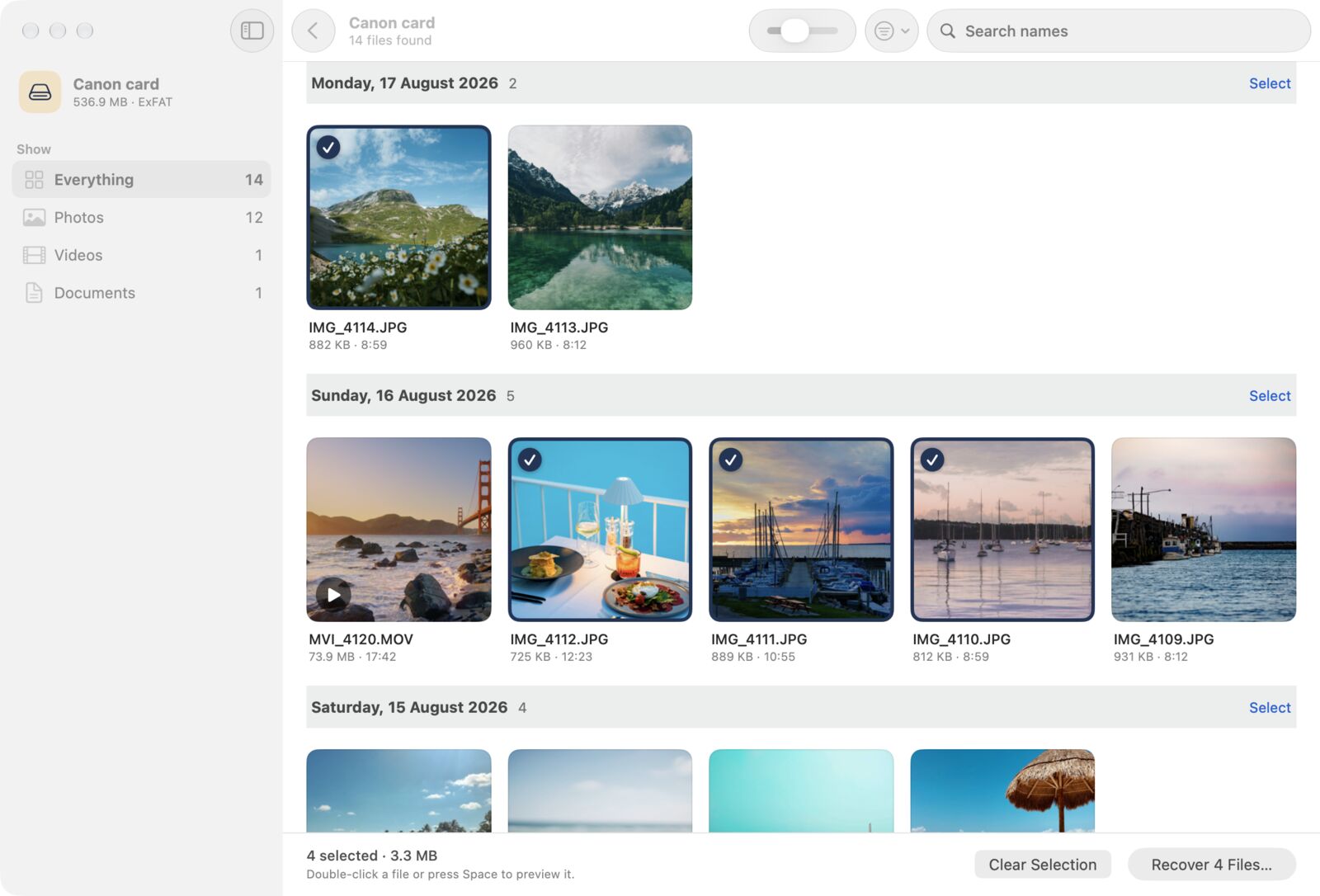
Brought back with their real names

DSCF0003.JPG
IMG_0420.CR3
GX010017.MP4
DSC00412.ARW
P1000233.RW2
DJI_0042.MP4
- Read-onlyYour card is never written to. Recovered files go to a folder on your Mac.
- Nothing leaves your MacNo account, no tracking. The app never connects to the internet.
- Free, with no limitsNo trial, no file cap, no "upgrade to save". Tip if it helped.
- Checked by AppleSigned and notarized, so it opens without security warnings.
Three steps, a few minutes
Stop using the card as soon as you notice something's missing. Every new photo can land on top of the ones you want back.
Insert the card
Use a card reader, or plug in the USB stick or drive. It shows up by itself, named after your camera.
Scan
Enter your Mac's password once. Deleted files with their names appear within seconds; a deeper search keeps finding more while you look.
Recover
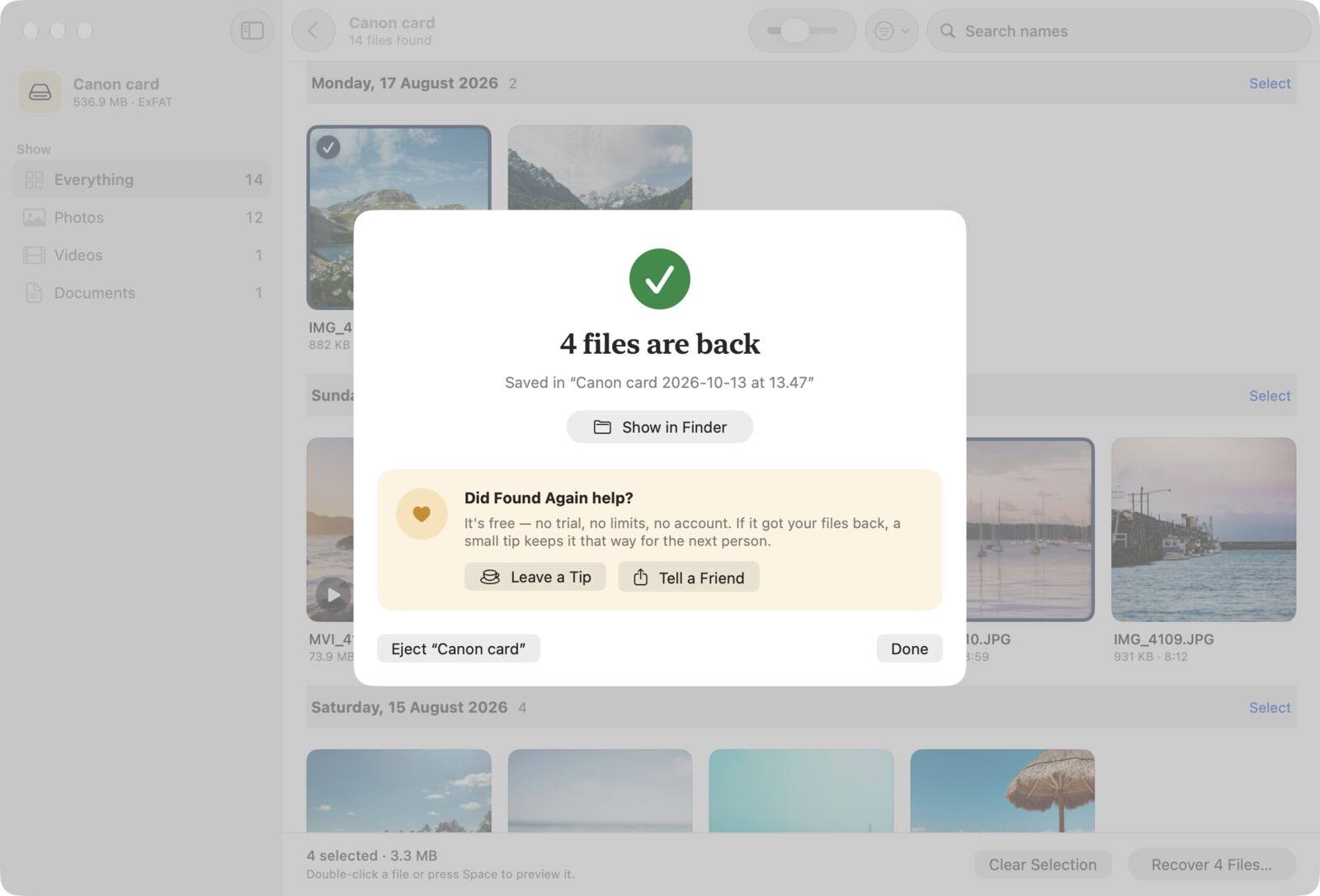
Pick what you want, or take everything. Files are copied into a dated folder on your Mac with their original dates.
Free means free
Most recovery apps scan for free, show you your photos, then charge to save them. Found Again doesn't. If it works for you, you can leave a tip on the success screen. That's the only time it asks.
| App | Cost to save your files | Free version on Mac |
|---|---|---|
| Disk Drill | $89 a year or $149 | Scans and previews, recovers nothing |
| EaseUS Data Recovery | $89.95 | 500 MB, and no SD cards |
| Stellar Photo Recovery | £49.99 and up | 10 files |
| Wondershare Recoverit | $89.99 a year | 100 MB |
 Found Again Found Again | Free | Everything, with no limits |
Prices from each company's website, October 2026.
Built for the files people actually lose
Original names first
Deleted files on camera cards usually still have their name, folder and date. Found Again reads those first, so DSCF0003.JPG comes back as DSCF0003.JPG.
After a format too
When the names are gone, a deep search reads every part of the card and recognizes photos and videos by their contents, then names them by when they were taken.
RAW from every major camera
Canon CR2 and CR3, Nikon NEF, Sony ARW, Fujifilm RAF, DNG, Olympus, Panasonic and Pentax, plus JPEG and HEIC.
Videos and documents
MOV and MP4 from cameras, GoPros and drones, with previews. PDFs, Office and iWork files, audio and more from USB sticks and drives.
Gentle with failing cards
Bad patches don't stop the scan. You can save a full copy of a struggling card once, then search the copy as often as you like.
Honest about the odds
Files that were partly overwritten are marked before you recover them, and the app tells you plainly when something can't come back.
Deleted something from your Mac's own drive?
A Mac's internal drive clears deleted files automatically and is always encrypted, so no app can scan it for them, whatever the ads say. Here's where those files often still are.
Questions
Is it really free?
Yes. There's no trial, no file limit and nothing to unlock. Found Again is paid for by tips from people it helped, and you're never asked before your files are back.
Will it change anything on my card?
No. macOS opens the card read-only for the app, and it won't save recovered files back onto the card. While scanning, it also stops macOS writing its own index files to the card.
Why does it ask for my password?
macOS only lets apps read a memory card's raw contents with an administrator's permission. You're asked once per scan; the app itself never gets more access than reading that one disk.
Why isn't it in the Mac App Store?
App Store apps aren't allowed to read a memory card directly, which is exactly what recovery needs. That's why the App Store versions of other recovery apps make you create a disk image in Terminal first.
Can it recover photos deleted from my iPhone?
No app can scan an iPhone for deleted photos. Open the Photos app and look in Recently Deleted (under Utilities), where they're kept for 30 days.
Get them back.
Download Found Again, insert the card, and see what's still there. It's free, and it'll stay that way.
Download for Mac